InViNode is a node-graph editor for Ren'Py. Drag out dialogue, menus, scenes and logic on a canvas, watch your story take shape, then export clean .rpy you can run or hand-edit at any time.
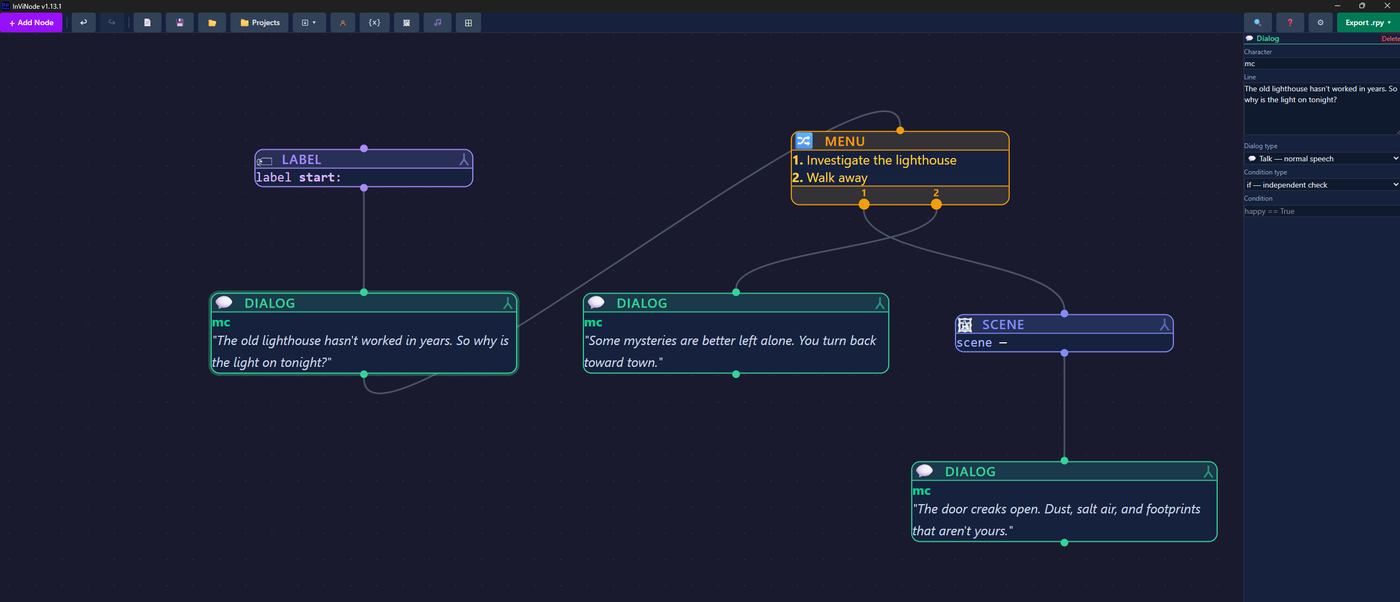
Every node maps to real Ren'Py syntax. Nothing is hidden from you — you can always see, and always hand-edit, the script underneath.
Dialogue, narration, menus/branches, scenes, character sprites, variables, conditionals, music & sound, Python blocks, notifications — the whole Ren'Py toolkit, as nodes.
Dialogue nodes auto-register characters with their own colors. Variables get a live registry with defaults, autocomplete, and no more typo'd names.
Point InViNode at your images/ and audio/ folders once — every Scene, Show and Play node gets a searchable picker with live thumbnails from then on.
Split a big story into named, tabbed flows instead of one endless canvas. Jump and Call nodes link them together, exactly like Ren'Py labels do.
Messy graph after a long session? Auto Layout tidies every node into a clean top-to-bottom or left-to-right flow in one click.
Export a single script or split files (characters / variables / images / script). What comes out is readable Ren'Py — not a black box.
Already have work in progress? InViNode imports it instead of asking you to start over.
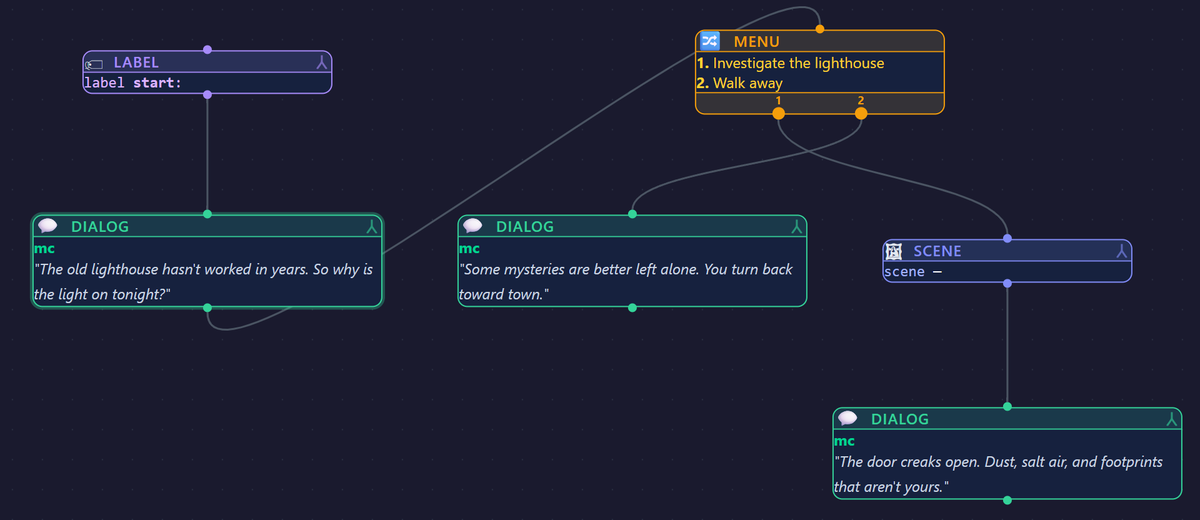
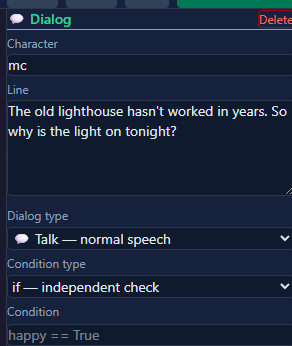
A closer look at the canvas and the inspector panel that drives every node's fields.
InViNode runs fully offline and keeps every file on your own machine — no accounts, no cloud sync.
 InViNode